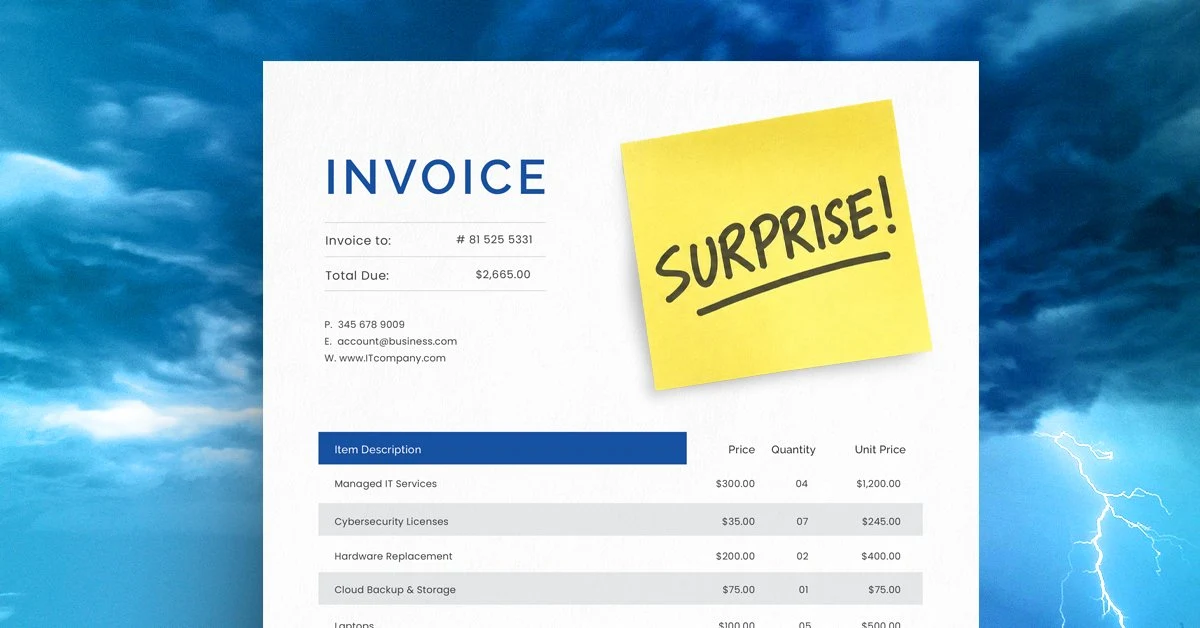

Prioritizing an IT budget comes down to three questions: what breaks if you wait, what costs are already predictable, and where is the business headed. Most IT spending decisions get harder and more expensive when those questions go unasked until the invoice shows up.
If your roof is leaking and your kitchen is showing its age, both may need work. But only one of them is going to ruin your week. Your IT budget can put you in the same position. There may be plenty worth spending money on, but deciding what comes first isn’t always obvious.
A few laptops are getting older but still work. A software license is approaching renewal. There’s a security improvement worth considering. And employees have been asking to replace a system that frustrates them every day.
There’s a reason to consider every one of those expenses. That doesn’t mean they all need funding at the same time.
The real work of IT budgeting is deciding what deserves attention now, what you should prepare for next, and what can reasonably wait. Three questions can help you sort that list.
What Happens If We Wait?
Start with the consequence of waiting.
An older laptop may be slower than it used to be, but if it’s still reliable and supported, replacing it might not be urgent. Most IT professionals use a four-to-five year hardware cycle as a rough guide, partly because machines older than that tend to cost more in lost productivity and repair calls than a replacement would. A security issue that puts sensitive data at risk is a different decision. So is a system that goes down regularly and keeps employees from doing their jobs.
Before approving an expense, think about what another three or six months would look like. Would employees lose time? Could downtime get worse? The priority should reflect what waiting could cost your business, not simply how long an item has been on the list. Some problems stay small when you ignore them. Others double in cost and complexity before anyone realizes what’s happening.
Security-related items tend to fall into that second category. CISA’s cybersecurity best practices are clear that deferred security improvements create compounding exposure. That doesn’t mean every security upgrade is equally urgent, but it does mean the “we’ll get to it eventually” answer carries more risk than most business owners realize.
What Do We Already Know Is Coming?
Many technology costs are predictable well before the bill arrives.
Say your business uses Microsoft 365 and plans to add several employees later this year. Those new hires will need accounts and licenses. You may not be paying for them yet, but you already know the expense is coming. The same goes for software contracts, hardware warranties, and anything else with a date attached to it.
Knowing that in advance gives you options: set aside money gradually, spread purchases across quarters, or push a less important project to make room. Waiting until the invoice shows up removes all of those options and often forces you into a reactive decision that serves the vendor’s timeline, not yours.
A practical habit is to run through your active software and hardware list at the beginning of each budget cycle and flag anything with a renewal or end-of-life date in the next twelve months. That list alone usually changes the conversation from “what are we buying this month” to “what are we actually planning for this year.”
What’s Changing in the Business?
What you’re planning for the year ahead can change what IT actually needs to support.
Take a business preparing to open a second location. Along with the space itself come questions about internet and Wi-Fi, equipment, access to company systems, and how the new site gets supported day to day. Leave those until opening week, and you have less time to compare options, work through problems, and plan for the costs. One client we worked with came to us six weeks before a second location opened. That’s enough time to do the job well. Waiting until two weeks out usually isn’t.
The same applies to shifts toward remote or hybrid work, new service lines, or other changes to how the business operates. Technology needs tied to those changes have a way of not surfacing until the work is already underway. Before deciding what gets funded and what can wait, make sure your IT budget reflects where the business is headed, not just where it is right now.
Building a Budget That Reflects Business Reality
Most small business IT budgets are reactive. Something breaks, it gets fixed. A renewal comes due, it gets paid. That approach works until it doesn’t, and when it stops working, the costs are usually higher than if the spending had been planned in the first place.
A more useful approach is to sort your IT spending into three buckets before deciding what gets funded:
- Protect what’s critical now. Security vulnerabilities, aging systems that are failing, and anything causing daily disruption for employees.
- Prepare for what’s predictable. Renewals, planned hires, new locations, and any technology tied to business changes you already know are coming.
- Plan for what’s on the horizon. Improvements that would help the business but aren’t urgent, upgrades that can reasonably wait another quarter without creating a bigger problem.
That sorting exercise doesn’t take long, but it usually shifts the conversation. Items that felt urgent sometimes turn out to be in the third bucket. Items that seemed minor turn out to belong in the first.
CompTIA’s annual IT industry research consistently shows that small businesses with documented technology plans spend less on unplanned IT costs than those without one. The plan doesn’t have to be complicated. It just has to exist.
Know What Needs to Come First
The roof and the kitchen may both need attention. The difference is knowing which one can wait.
Some IT expenses address problems that could disrupt the business or get more expensive the longer they sit. Others prepare you for changes you can already see coming. And some can stay on the list another quarter without creating a bigger problem.
At Southwest Networks, we help small and mid-sized businesses review what’s on their IT list, understand the business impact, and prioritize spending, including telling them honestly what can wait. If you’re not sure where to start, a free assessment can give you a clearer picture of what should come first, what’s coming next, and what doesn’t need to move yet.
FAQ
How do I decide what IT expenses to prioritize?
Start by asking what happens if you wait. Expenses tied to security gaps, failing systems, or daily employee frustration typically need to move first. Renewals and costs tied to planned business changes should be anticipated well in advance. Everything else can usually wait without creating a bigger problem.
How often should a small business update its technology?
A four-to-five year hardware refresh cycle is a reasonable baseline for most small businesses, though the right answer depends on how heavily the equipment is used and whether it’s still receiving security updates. Software should be reviewed annually, especially anything with licensing or end-of-life dates coming up in the next twelve months.
What should be included in an IT budget?
At minimum, an IT budget should account for hardware refresh costs, software licensing renewals, security tools and services, support costs, and any technology tied to planned business changes like new hires, new locations, or shifts to remote work. One-time projects and predictable maintenance should both have a place in the plan.
How do I plan for unexpected IT costs?
You can’t predict everything, but most IT surprises aren’t actually random. Hardware has a lifespan. Software contracts have dates. Business changes create technology needs. Building a budget that tracks those predictable costs leaves more room to absorb the genuinely unexpected ones without disrupting everything else. A managed IT plan also turns monitoring, security, and backup into a predictable monthly line item; see how managed IT is priced.
What IT costs can a small business safely defer?
Upgrades that improve convenience or efficiency without addressing a security gap or operational problem are usually good candidates to defer. The test is simple: if you wait another quarter, does the risk or cost go up? If the answer is no, it can probably wait. If the answer is yes, or if you’re not sure, that’s the item to look at first.