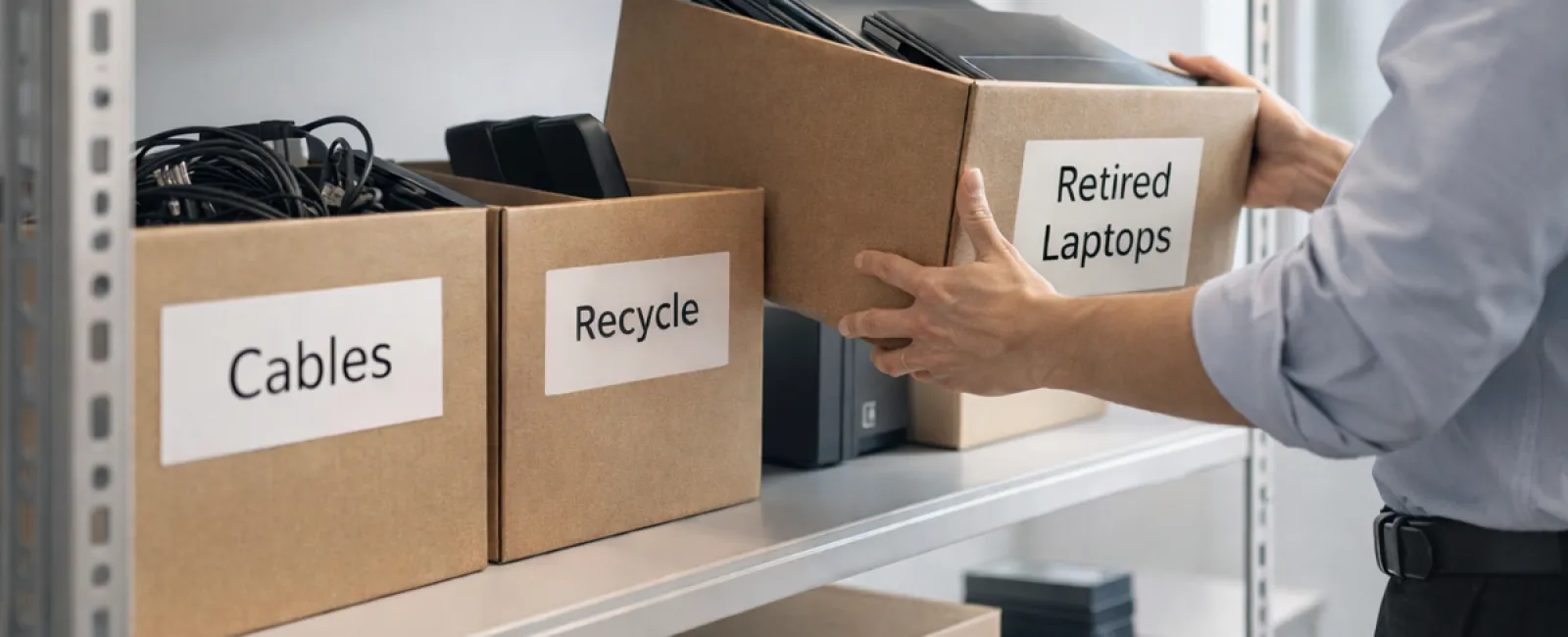
While spring cleaning often focuses on closets, many businesses face a heavier kind of clutter beyond just a storage rack.
It might be tangled up in server racks, piled in storage rooms or tucked away in back offices—often labeled as “we’ll deal with that later.”
Old laptops, obsolete printers, backup drives from previous system upgrades, and boxes of cables kept “just in case” are all common in business environments.
Every company accumulates this over time.
The crucial question isn’t if you have this stuff, but whether you have an effective plan for what comes next.
The Technology Lifecycle: Beyond Just Buying
Purchasing new equipment usually comes with clear benefits: improved speed, enhanced security, greater capabilities, and support for growth.
Most businesses strategize their technology purchases; far fewer plan for tech retirement.
Tech retirement often happens quietly—old devices get replaced, set aside, and eventually someone decides to clear out space.
That’s typical.
However, it’s less common to approach retiring technology with as much intention as purchasing it.
Even outdated tech holds value, whether usable parts, recyclable materials, or sensitive data storage. If ignored, it can become a burden by occupying space and resources.
Spring is the perfect time to pause and ask: What’s still valuable, and what’s just taking up room?
A Clear Blueprint for Streamlining Your Tech
If you want to turn “we should” into action, follow our straightforward four-step method.
Step 1: Identify Your Equipment
What exactly are you retiring? Laptops, phones, printers, network devices, external drives? You can’t manage what you don’t know exists—often a quick inventory reveals surprising items.
Step 2: Choose Their Fate
Devices usually belong to one of three groups: reuse (internally or via donation), recycling (through certified e-waste programs), or destruction (for sensitive data). The important part is deciding deliberately instead of letting equipment linger forgotten.
Step 3: Prepare Devices Correctly
Proper preparation matters.
If reusing or donating, unregister devices from management systems, revoke user access, and perform certified data wiping—not just a factory reset. Simple file deletion or quick formatting doesn’t erase data entirely; it only removes pointers to it.
A data security study by Blancco revealed 42% of secondhand drives sold on eBay still held sensitive information like tax records and passports, despite sellers claiming they were wiped. Certified erasure tools overwrite every sector and provide verification reports.
If recycling, use a certified e-waste company—not the dumpster or curb. For businesses, popular consumer programs like Best Buy’s don’t apply.
B2B requires certified IT asset disposition (ITAD) providers or business-grade recyclers with e-Stewards or R2 certifications (directories available at e-stewards.org and sustainableelectronics.org). Your IT partner can often handle coordination.
For destruction, opt for certified wiping or physical destruction methods such as shredding or degaussing, and keep detailed records including serial numbers, method, date, and handler.
This is less about paranoia and more about completing the cycle responsibly.
Step 4: Document and Move Forward
After equipment leaves your premises, know exactly where it went, how it was processed, and confirm access has been revoked. Keep records to eliminate lingering doubts.
Tech Items Often Forgotten
Laptops usually get attention; other devices are often overlooked.
Phones and tablets may still store emails, contacts, or authentication apps. A factory reset helps, but certified mobile wiping tools offer a deeper cleanse. Major brands like Apple and Samsung provide trade-in programs, sometimes with credit toward new devices.
Modern printers and copiers often have internal hard drives storing copies of everything printed, scanned, or faxed. When returning leased equipment, get written confirmation the drive will be wiped or removed before redeployment.
Batteries are classified as hazardous waste by the EPA, and several states (California, New York, Minnesota) prohibit businesses from discarding rechargeable batteries in regular trash. Remove batteries when possible, tape terminals to prevent shorts, and use certified drop-off sites. Check Call2Recycle.org or retailers like Staples, Home Depot, and Lowe’s for drop-off locations.
External drives and retired servers often accumulate dust in closets longer than expected but should go through the same retirement process as other devices.
Recycling Right
Earth Day in April reminds us how crucial it is to recycle electronics responsibly.
Globally, over 62 million metric tons of e-waste is generated annually, but only about 22% is properly recycled. Batteries, monitors, and circuit boards deserve dedicated recycling channels, and many communities offer certified e-waste options.
Retiring your tech carefully protects your business operations, benefits the environment, and is strategically wise—you can be both secure and responsible.
Plus, it’s a subtle but positive story to share on social media—customers appreciate companies that handle their tech stewardship quietly yet effectively.
Seeing the Bigger Picture
Spring cleaning means more than tossing things out—it’s about creating space for what matters.
Clearing outdated tech is just one step. While you assess hardware, it’s smart to consider whether your technology truly supports your business goals.
Hardware cycles through, but software, systems, automation, and optimized processes are key to boosting productivity and profits.
Properly retiring old devices ensures tidy operations. Making sure your remaining tech aligns with your vision keeps your business moving ahead.
How We Support You
If you already have an efficient retirement process, excellent—that’s how it should be: smooth and routine.
But as you plan retiring old equipment securely, it’s also an ideal time to review your wider tech setup. Are your systems integrated? Are your tools driving growth or just maintaining status quo?
If you want to step back and explore how your technology stack, systems, and workflow boost your productivity and profits, we’re here to help.
No checklists. No pressure. Just a practical chat about optimizing technology for your business.
Click here or give us a call at 760-770-5200 to schedule your free Quick and Easy Call.
If this inspired you, please share it with fellow business owners.
Don’t let spring cleaning stop at closets—include the vital systems that power your business.