
The buzz of April Fools Day fades quickly, along with its harmless pranks and fake news.
Sadly, scammers keep working nonstop.
Springtime marks a peak season for cyberattacks — not because workers slip up, but because a busy schedule and distractions create openings. That's when convincing scams sneak past even the most cautious.
Below, discover three active fraud schemes targeting knowledgeable employees trying to stay productive.
As you review each, ask: Would my team consistently catch these threats before damage occurs?
Scam #1: The Toll or Parking Fee Scam Text
Imagine an employee receives a text message:
"You owe $6.99 for an unpaid toll. Pay within 12 hours to avoid fees."
The message refers to a familiar toll authority — E-ZPass, SunPass, FasTrak — matching the recipient's region. The fee is small enough not to raise alarm. Pressed for time, they click and pay.
But the link is fraudulent.
In 2024, the FBI logged over 60,000 complaints about fake toll notifications, and that number surged 900% in 2025. Researchers found more than 60,000 fake domains created to mimic official toll systems, showing just how lucrative this scam has become — some even targeting states without toll roads.
This scam succeeds because small fees feel harmless, and most people recently encountered tolls or paid parking, making the message believable.
The best defense: Legitimate toll agencies never demand immediate payment via text links. Organizations should enforce a rule: no payments through SMS links. If in doubt, employees must visit official websites or apps directly. They also should never reply to such texts — not even with "STOP" — to avoid confirming their number is active.
Convenience is the lure; strict payment policies are the shield.
Scam #2: "Your File Is Ready" Email
This scam effortlessly blends into daily workflows.
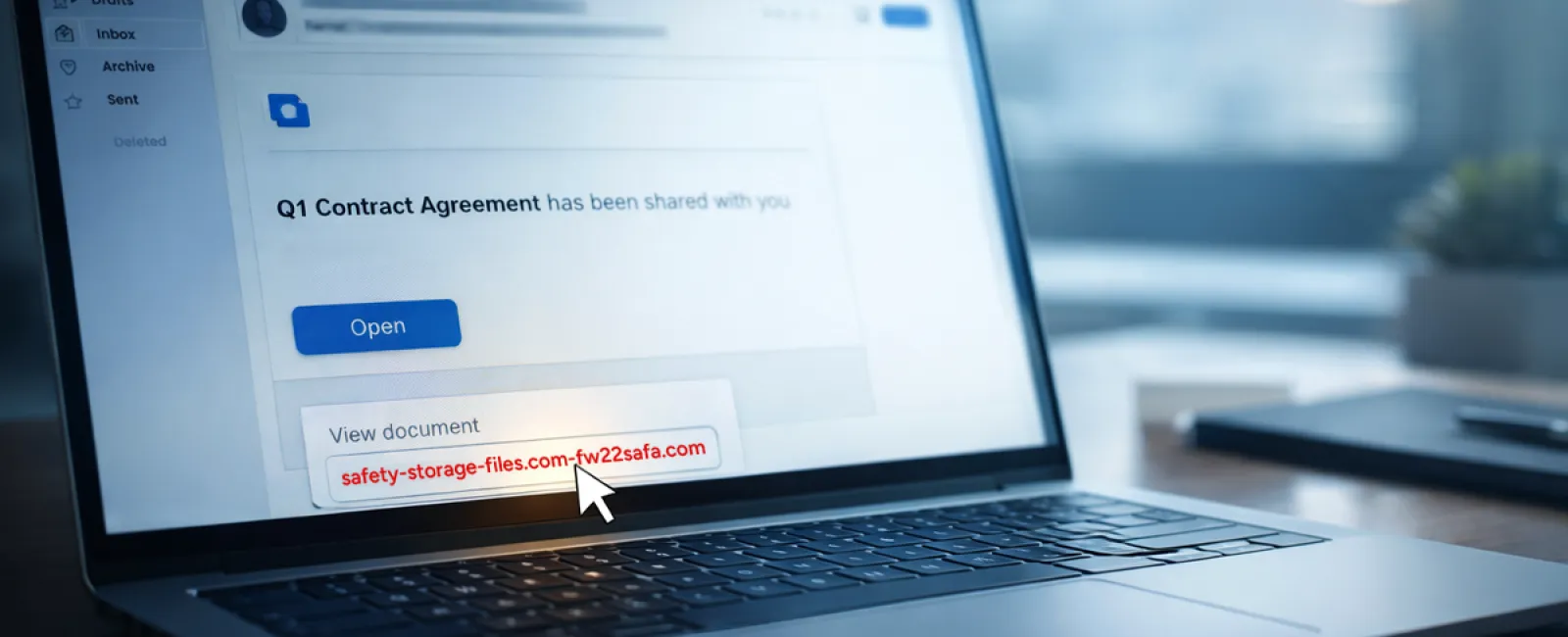
An employee receives an email stating a file has been shared — a DocuSign contract, a OneDrive spreadsheet, or a Google Drive document.
The sender appears legitimate. The email mimics genuine file-share alerts perfectly.
They click and are prompted to log in. After entering work credentials, attackers gain access to your company's cloud systems.
Phishing attacks targeting trusted platforms like Google Drive, DocuSign, Microsoft, and Salesforce surged 67% in 2025, per KnowBe4's Threat Labs. Google Slides phishing alone rose by over 200% in just six months.
Alarmingly, employees are seven times more likely to click malicious links originating from OneDrive or SharePoint notifications than from unknown emails because these alerts look authentic.
Advanced attacks create files within compromised accounts and leverage real sharing features to send notifications from genuine Google or Microsoft servers — bypassing spam filters.
How to stay safe: If an unexpected file share arrives, do not click the link. Instead, log in to the platform directly through your browser. If the file exists, it will show up there. IT teams can further reduce risks by limiting external sharing and enabling alerts for suspicious logins — settings configurable in minutes.
Simple caution leads to strong protection.
Scam #3: Perfectly Written Phishing Emails
Gone are the days when phishing emails were clumsy and easy to spot.
A 2025 study revealed AI-crafted phishing emails reach a 54% click rate — over four times higher than human-written ones at 12%. These scams now mimic real companies, job titles, and workflows, pulling details from LinkedIn and official websites instantly.
Fraudsters tailor messages by department: HR and payroll receive fake employee verification requests, finance teams get false vendor payment changes. In one trial, 72% of staff responded to vendor impersonation emails — a 90% increase over other phishing types. These emails are calm, professional, and urgent without raising suspicion.
Defense tactics: Verify any requests for credentials, payment changes, or sensitive data via secondary communication channels — a phone call, chat, or in-person check. Hover over sender email addresses to confirm their domain. Treat any urgent tone as a red flag.
True security fosters caution, not panic.
What You Need to Know
All these scams exploit familiarity, authority, timing, and the thought, "This will only take a moment."
The real vulnerability isn't careless employees — it's relying on everyone to always slow down, double-check, and act perfectly under pressure.
If one rushed click can compromise your day, it's a sign of flawed processes, not people.
The good news? Process issues can be fixed.
How We Can Support You
Most business owners don't want to turn cybersecurity into another daunting task or become the sole teacher of what not to click.
They want confidence that their business remains secure behind the scenes.
If you're worried about your team's cyber risks — or know another owner who should be — we're ready to have a straightforward conversation.
Book a discovery call to discuss:
- The cyber threats affecting businesses like yours today
- Common vulnerabilities hiding in everyday workflows
- Effective ways to minimize risk without slowing your team down
No pressure. No hype. Just clear insights and options to protect your business.
Click here or give us a call at 760-770-5200 to schedule your free Quick and Easy Call.
If this doesn't apply to you, please forward it to someone who might benefit. Sometimes awareness turns a "would have clicked" into a "blocked attempt."


